

The product
Your report.
Evidence in view.
Work beside the Word report your team already knows. Follow each figure to its approved source, investigate changes, and retain the review behind it.
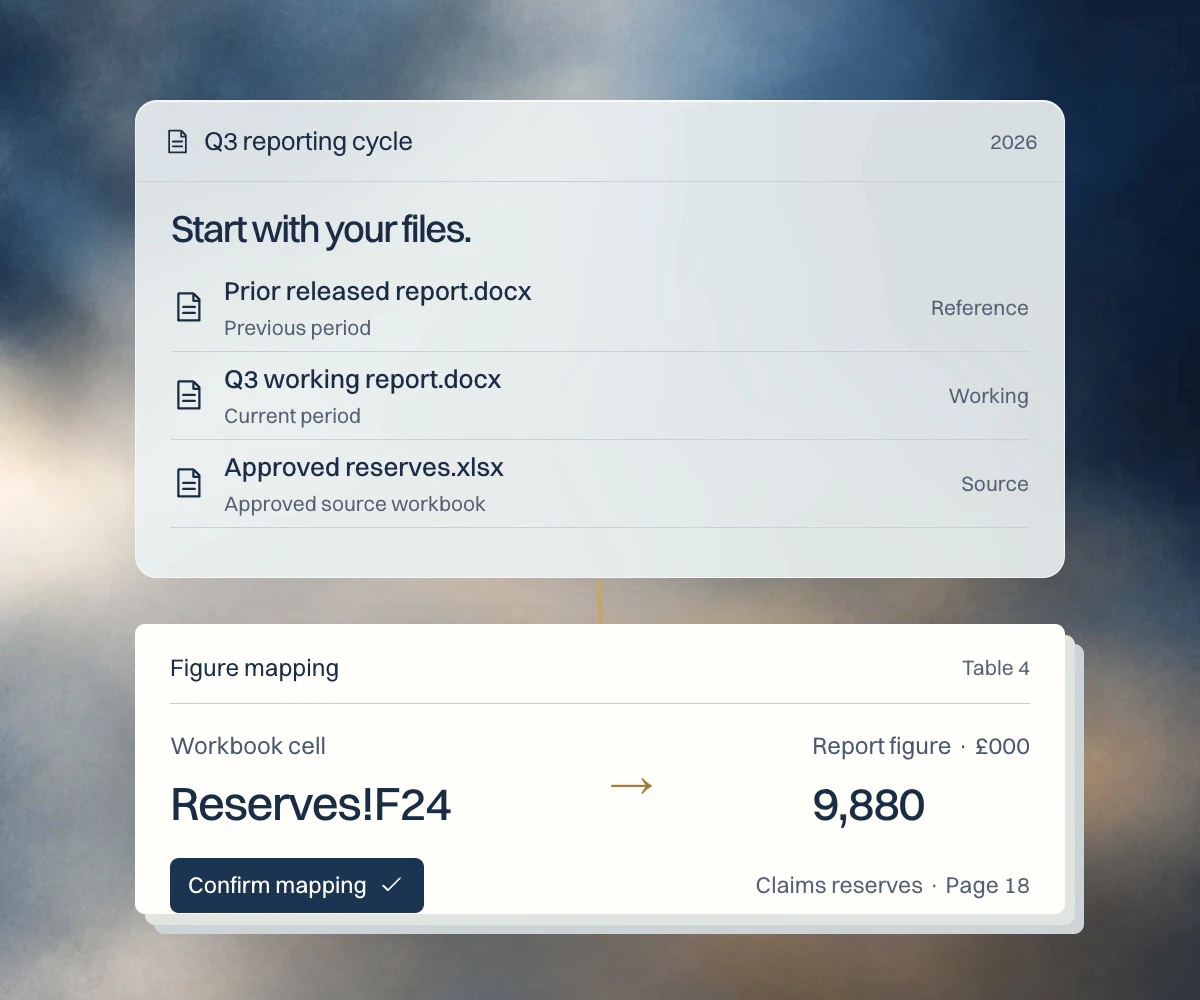
The reporting cycle
From approved figures.
To a reviewed report.
Your approved workbooks supply the numbers. Repdate connects the financial reporting work around them, from source confirmation to independent checking.
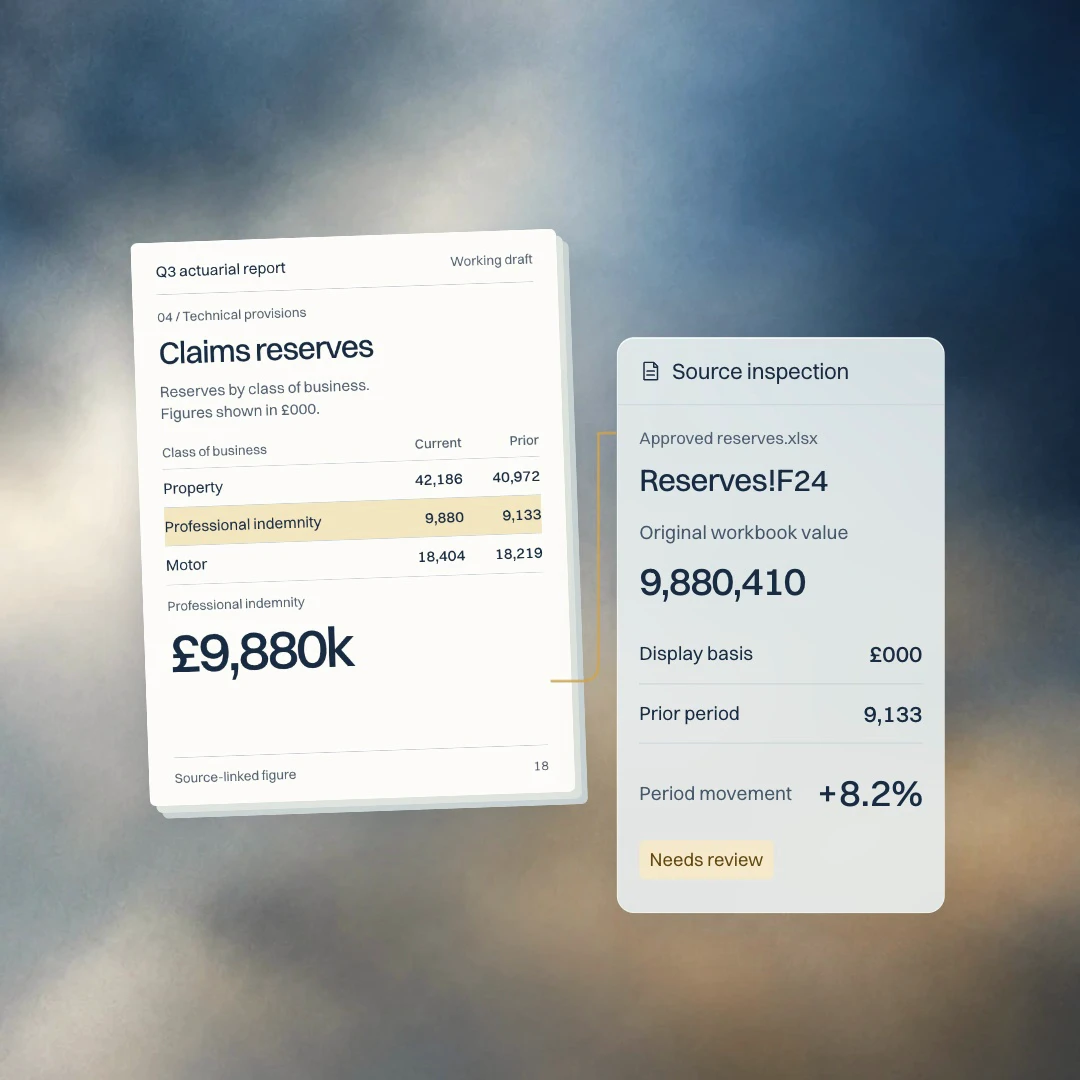
Source inspection
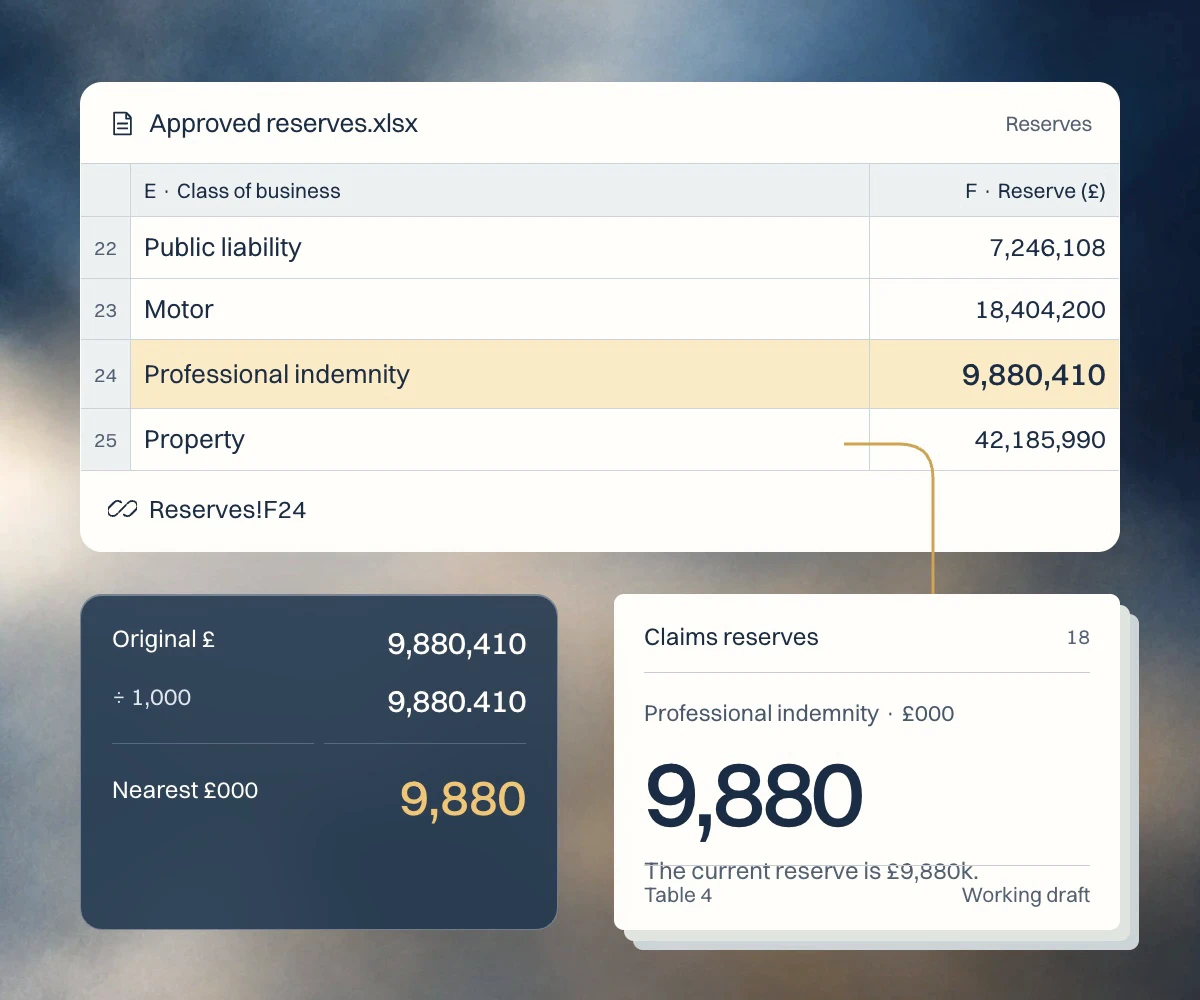
The figure is rounded.
The evidence isn’t.
Inspect the original workbook value and the basis used to display it in the report. Keep the surrounding source range beside the figure you are reviewing.
- Source
- Workbook location, value, and surrounding range.
- Display
- Report occurrence and displayed precision.
- Review
- Movement, exceptions, and recorded decisions.
Report outputs
One reporting cycle.
Three useful views.
The report, the change, and the review record each serve a different purpose. Keep them connected to the same reporting work.
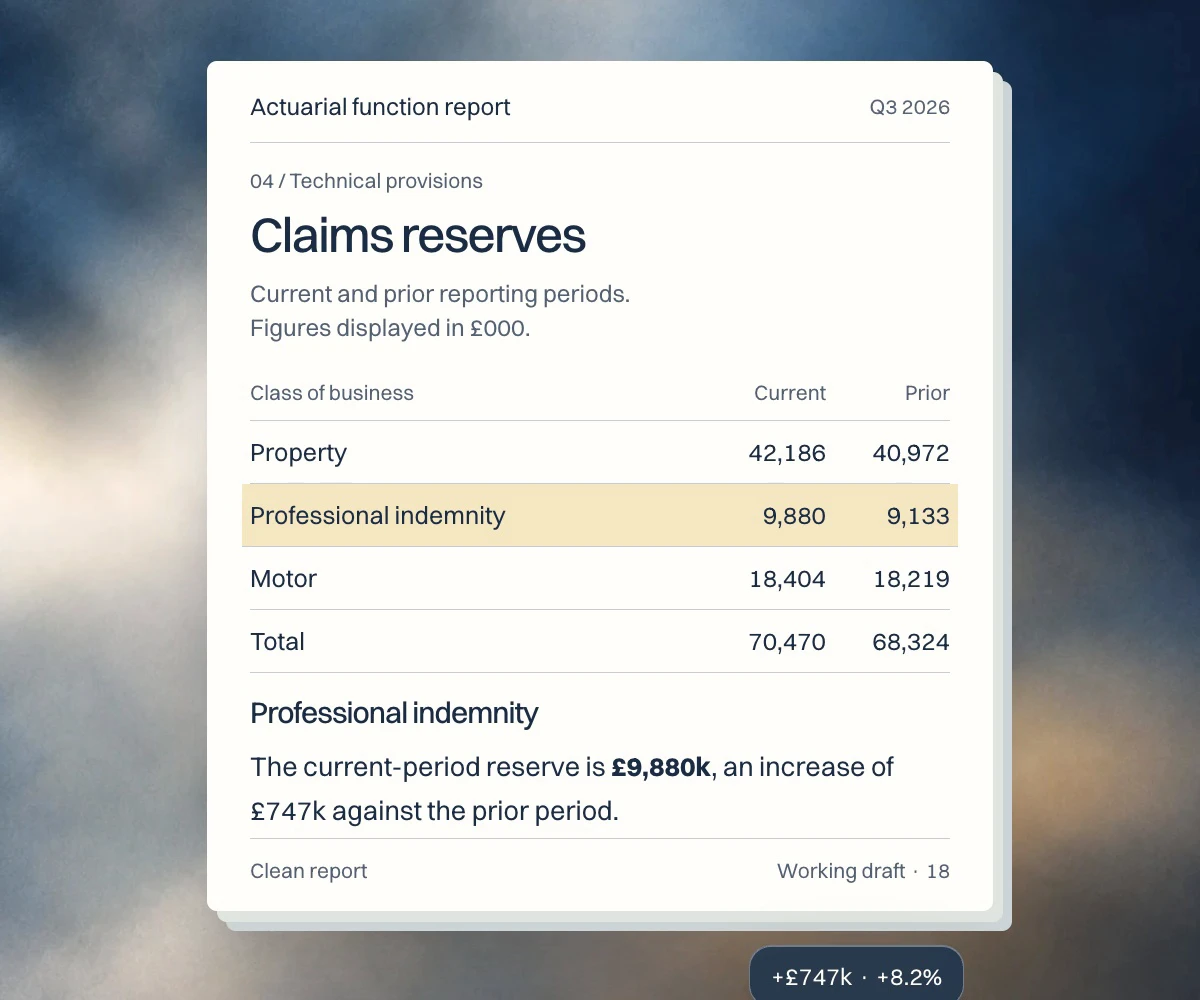
Final release-state transitions are being completed for V1. Output availability and fidelity are confirmed against your report family during a walkthrough or pilot.
Independent checking
The review stays
with the report.
Keep the original source, preparation, and independent check together. A reviewer can follow the record behind a figure, including the reasons for manual decisions.
See the review controls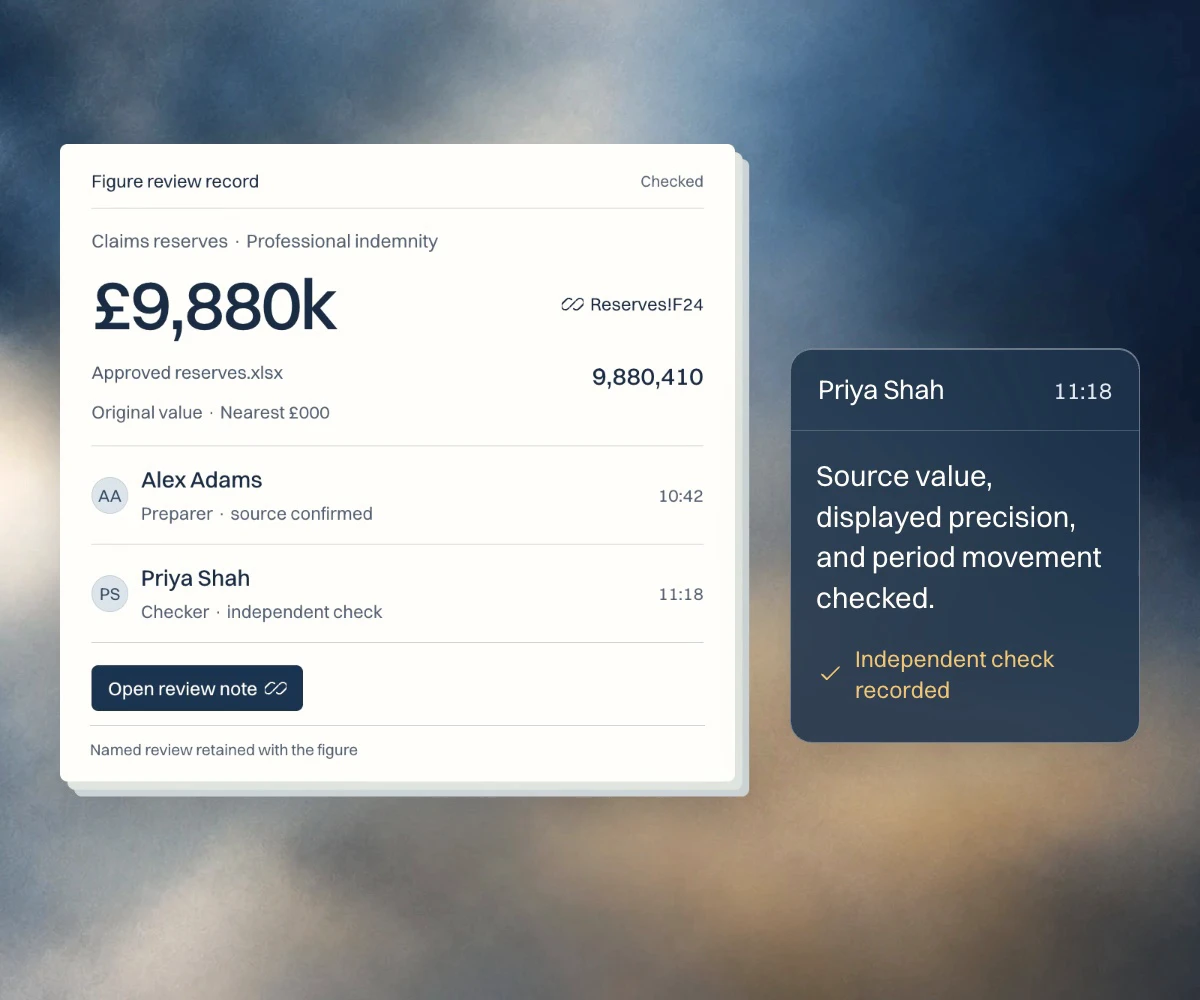
Start with your reporting cycle
Bring the report.
See Repdate at work.
Discuss its source workbooks, repeated updates, and review steps. No sensitive files are needed for the first conversation.