

Controlled Financial Reporting
Update the report.
Keep the evidence.
Bring approved workbook figures into recurring Word reports. Keep the source, the change, and the review together.
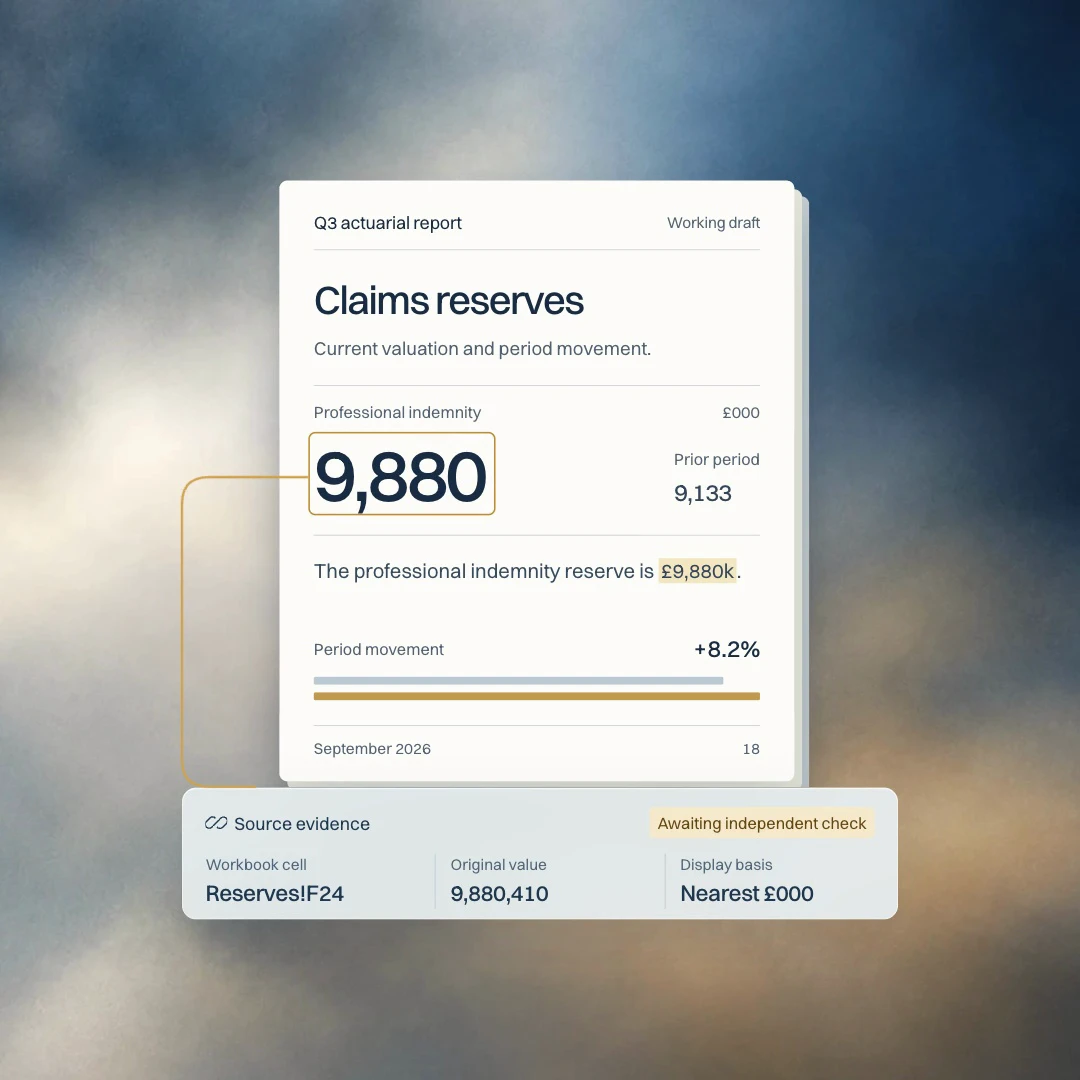
Repdate in action
From workbook
to reviewed report.
See approved workbook figures move into a recurring report, with source evidence, material changes and independent checking in view.
After the figures are approved
The figures are ready.
The report still needs work.
Approved outputs are only the beginning. Figures still need to reach the right tables, movements need explanation, and reviewers need evidence they can inspect.
Repdate brings that work into one reporting cycle.
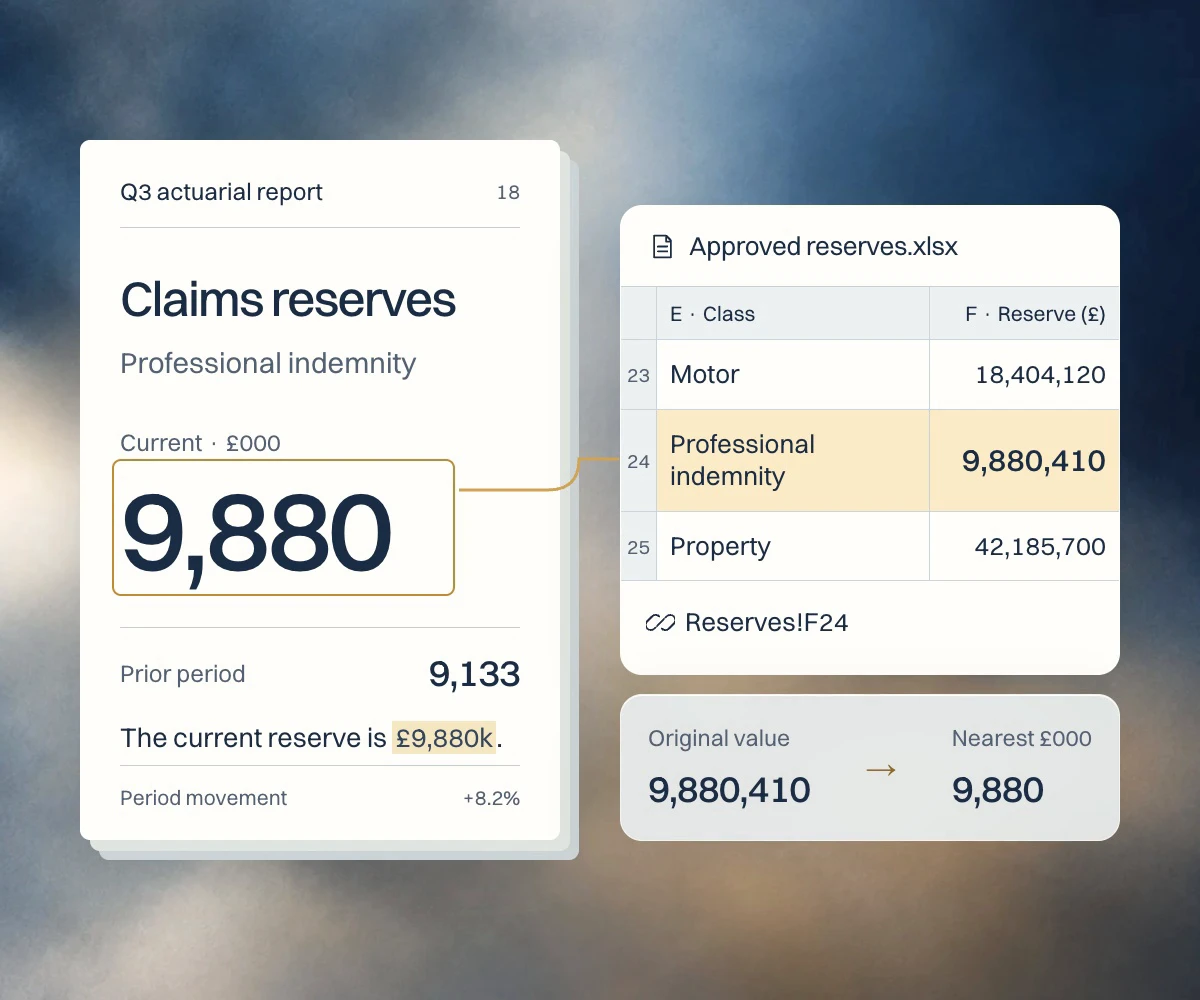
Source evidence
Every figure.
Back to its source.
Follow a report figure back to its workbook cell, original value, and display basis. Inspect the evidence where you are already reviewing the report.
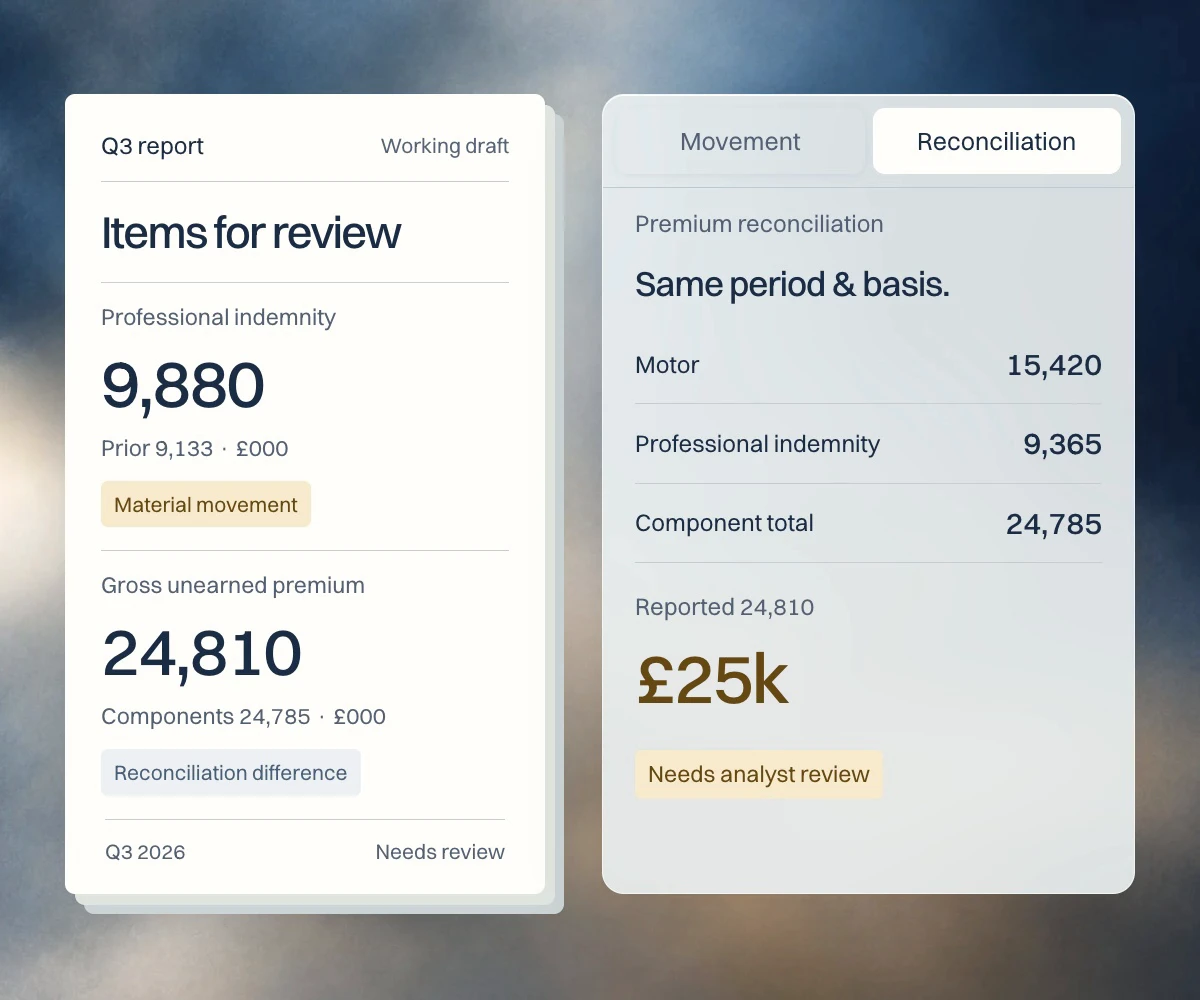
Focused review
Put the changes
that matter in view.
Bring material movements, source exceptions, and failed reconciliations into a focused review queue. Investigate each change with its source evidence beside it.
Independent checking
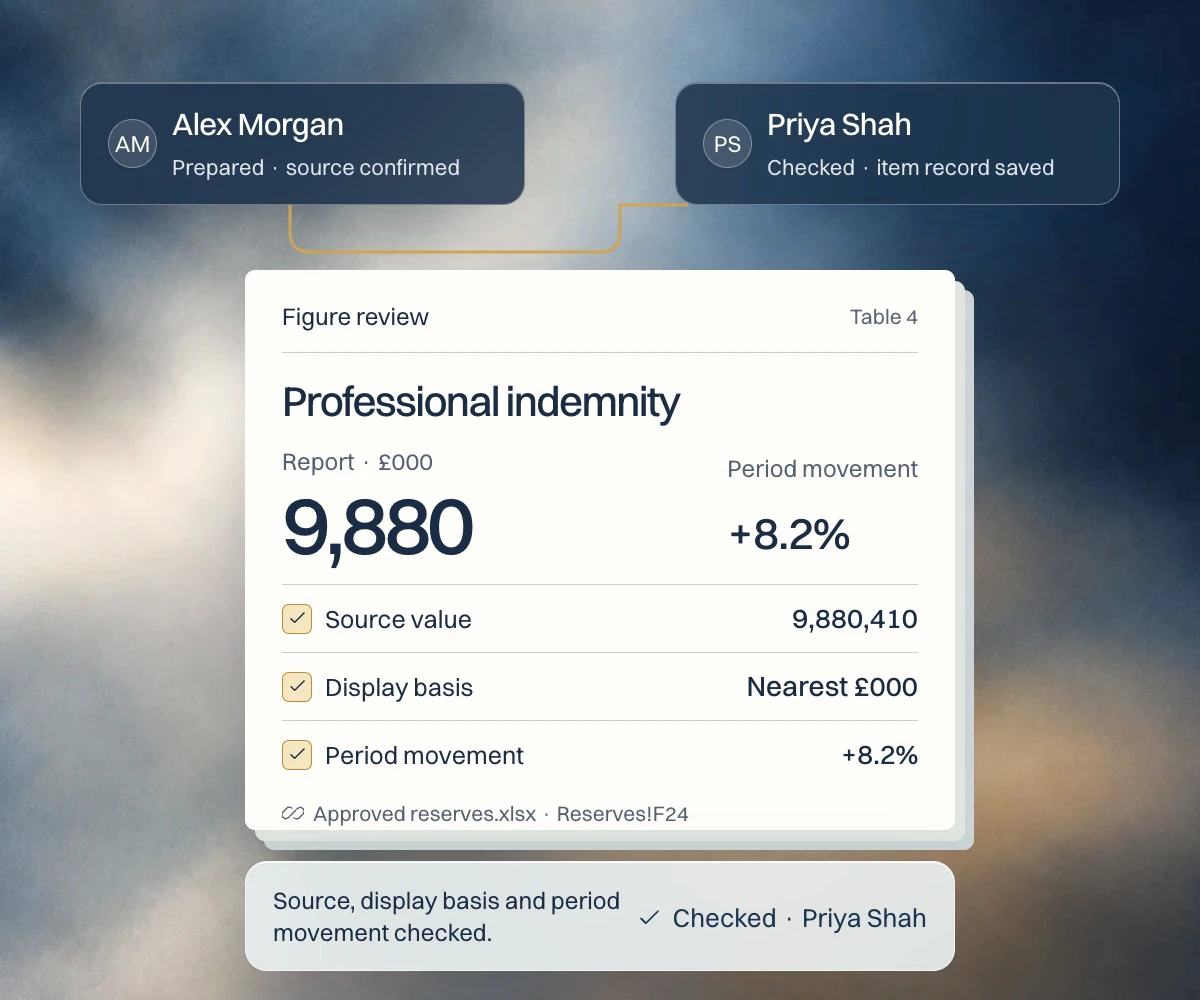
Prepared by one.
Checked by another.
Source confirmation and independent checking remain separate. Review notes and named decisions stay attached to the figure, ready to inspect.
Report outputs
Your report.
The evidence behind it.
A clean report for reading. A redline for understanding change. A review workbook for the evidence and decisions behind it.
Explore report outputs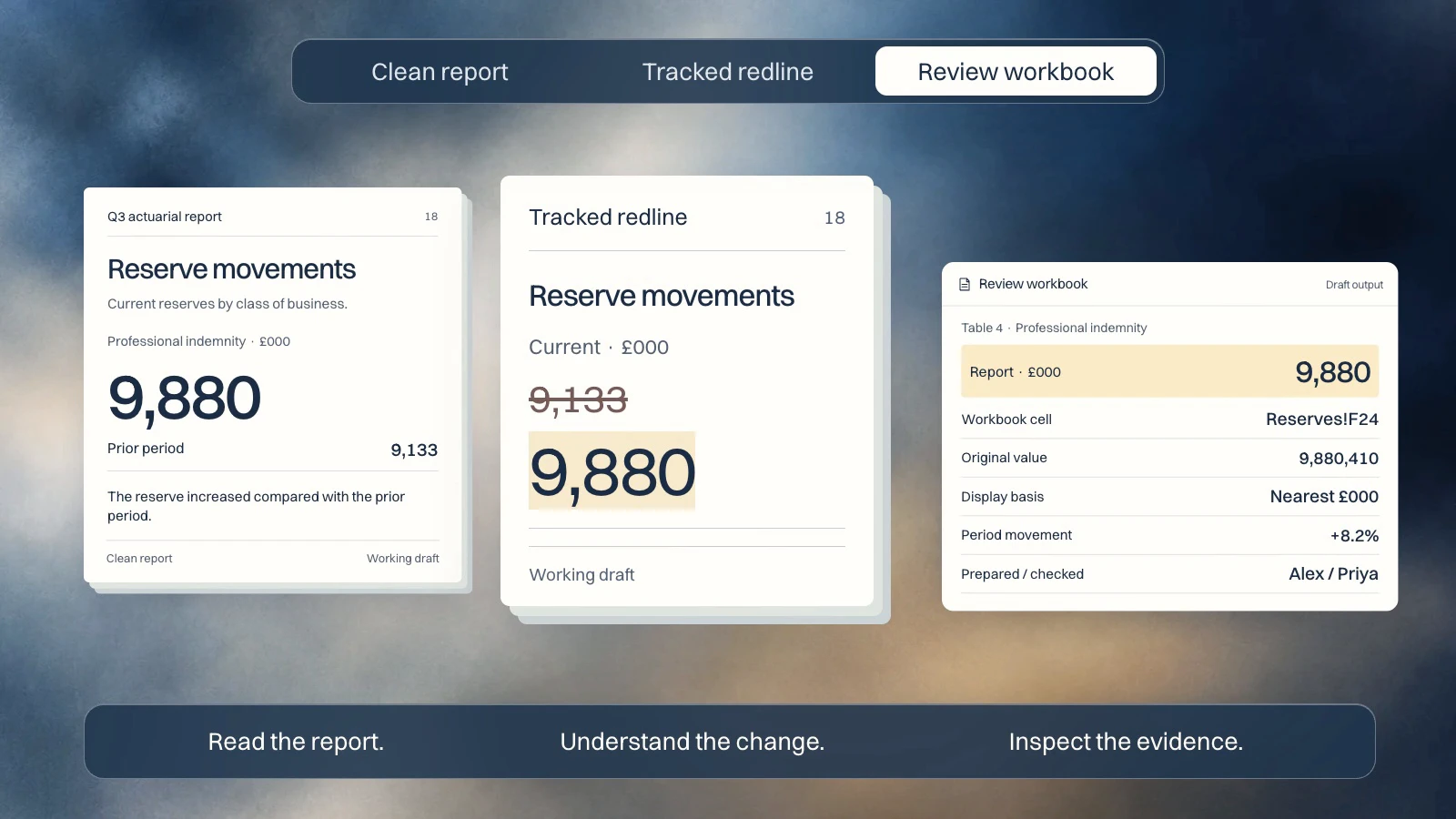
Security & AI
AI can assist.
Your team decides.
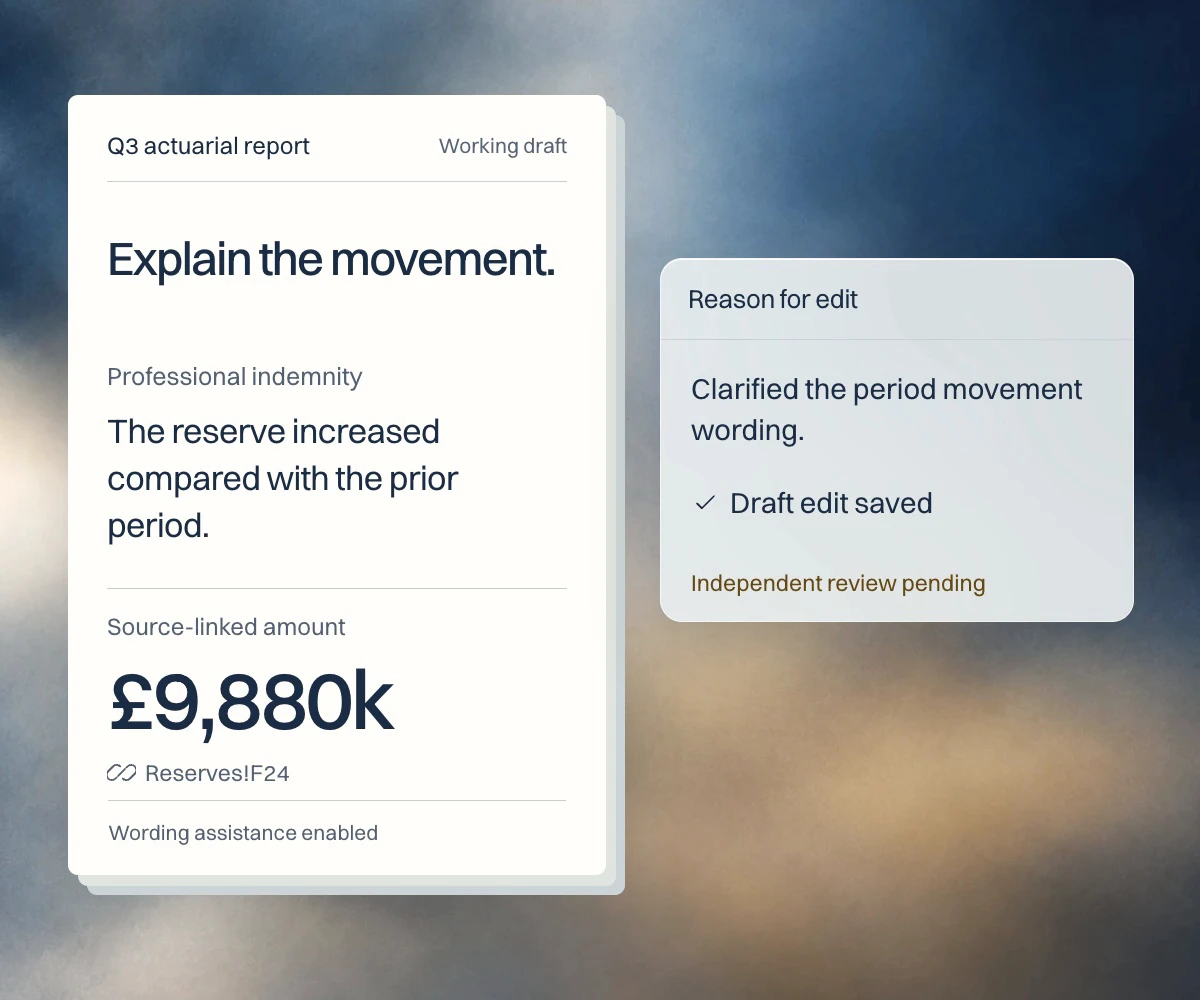
Enable assistance for defined tasks within your organisation’s controls. Approved workbook values remain the source, and review decisions stay with named people.
Optional assistance.
Organisation-controlled scope.
Source-backed figures.
Human review and approval.
Your next report.
A clearer path through it.
See how Repdate brings your figures, evidence,
and review into one reporting cycle.